01About
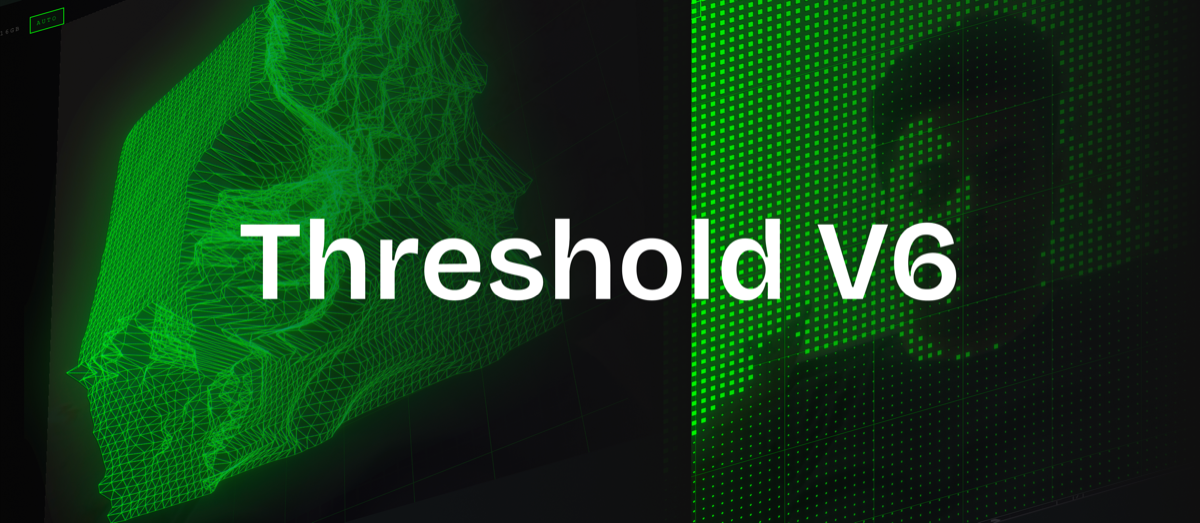
Threshold turns a webcam into a volumetric instrument. Point it at yourself and an AI depth model, gesture tracking, and a generative audio engine take over — your face and hands become a live field of ASCII glyphs, dithered blocks, or particles, extruded by depth and colored by mood, with a soundtrack that reacts to how much you move.
It's built entirely client-side: React Three Fiber and Three.js for rendering, Transformers.js for depth estimation, MediaPipe for hand tracking, Tone.js for audio, Zustand for state, Leva for the control panel. No backend, no accounts, nothing leaves your browser.
02What Was I Exploring
The premise was simple to state and hard to build: what if a webcam filter wasn't flat? Most "AI camera effects" apply a 2D mask over your face. I wanted the camera feed to become actual topography — a grid of shapes physically pushed forward and back by an AI's read of depth, in real time, at 60fps.
The aesthetic brief I gave myself was "high-fidelity terminal" — somewhere between MSCHF's absurdist repurposing, early Flash-era web experiments, Yugo Nakamura's interaction design, and Ryoji Ikeda's audiovisual minimalism. Scanlines, chromatic aberration, volumetric bloom, a monospace hardware feel. The Leva control panel needed to look like a lab workstation, not a debug menu.
One rule I set early and kept: no static pre-processing. Whatever showed up on screen had to be computed live, every frame, from whatever the camera saw that instant.
03Key Learnings
Full AI depth estimation was too slow for a live mirror. I started with Transformers.js's depth-anything-small-hf running per-frame, and it couldn't hold 60fps. I replaced the primary interactive loop with real-time pixel-to-luminance sampling instead — a pragmatic trade that kept the feel of depth without the AI model in the hot path. True per-pixel depth inference still exists in the codebase, but it's not what drives the live experience.
Two coloring systems disagreeing looks like a bug — because it is one. Mood color (chromeColor, an emissive tint) and mode color (getGradientColor, a diffuse gradient) were built as separate systems and would occasionally contradict each other, reading as random flicker. The fix wasn't a patch — it was making mood the single source of truth for hue when mood mode is on.
A missing feature can look identical to a rendering bug. The ASCII mode had a full glyph atlas texture wired up, but no per-cell UV-offset logic — so every cell silently rendered the same glyph. It looked like a broken shader. It was an incomplete one. Fixed with an InstancedBufferAttribute and a shader patch via onBeforeCompile.
Audio reliability bugs are usually race conditions in disguise. Three separate places called Promise.race([Tone.start(), timeout(500)]) without ever checking whether the audio context had actually resumed. Under load, all three could "succeed" against the timeout while the context stayed suspended — silent audio, no error. The fix was a single shared ensureAudioContext() gate that awaits the real context state.
Perceptual and linear scales don't mix. Default volume was 33dB quieter than intended because per-layer gain reductions compounded on a linear dB curve. Swapping in a perceptual volumeToDb mapping fixed it in one pass.
04Inner Workings
Webcam → signal. The camera feed feeds two paths: brightness sampling for the live depth-proxy, and MediaPipe hand tracking (throttled to every third frame to manage GPU heat) for gesture control.
Signal → state. Everything lands in a single Zustand store — render mode, theme, mood, gesture state, session energy.
State → render. An R3F InstancedMesh scene reads the store every frame, coloring each cell via the shared gradient system in theme.ts. A fixed post-processing chain runs on top: Bloom → HueSaturation → ChromaticAberration → Glitch → Scanline → Noise → Vignette.
State → audio. A parallel Tone.js engine builds textures (glitch, bloom, bass) and a Markov-chain melody generator, driven by the same motion-energy signal that drives the visuals.
Two systems run orthogonally on top of all this: mood (manual — five palettes, each with its own scale, tempo, waveform, and texture) and session arc (automatic — an energy meter from 0–100 that charges from movement and decays over time, moving you through calm → building → climax phases with hysteresis so it doesn't flicker between states).
05How To
Nothing to install — grant camera access and it starts. A few ways in:
- Gestures: (edge-triggered, once the camera's on): fist = toggle flat/volumetric view, open palm = toggle the session arc, pinch = live depth-cutoff threshold, thumb up = next render mode, thumb down = previous render mode.
- Keyboard: 1–0 jump directly to a render mode (radio, dots, blocks, hline, vline, ascii, pixel, ribbon, mesh, dither), a toggles the session arc, m cycles mood, spacebar flips between flat and volumetric camera views.
- Leva panel: five folders — Signal, Visuals, View, Audio, Gesture — for anyone who wants to hand-tune instead of gesture their way through it.
- Onboarding: a replayable walkthrough lives behind the ? icon if you want the guided version first.
06Expectations
This needs a webcam and a browser gesture (a click) before audio will play — standard autoplay policy, not a bug. It leans on WebGL and on-device inference, so it wants a reasonably modern machine; on weaker hardware, expect fan noise before you expect frame drops.
It's an experiment, not a product. Some of the internal naming has aged in ways I've left alone on purpose — the "sound texture" options (glitch/bloom/bass) happen to share names with unrelated post-processing effects, a coincidence from building fast rather than a designed pun. Nothing here is trying to be finished software; it's trying to be an honest record of a specific idea, worked all the way through.
07Versions
- Apr 2026 — V3 build-out. Core stack assembled: R3F, Zustand, Tone.js, Leva, Transformers.js. First depth-estimation integration, radio/blocks/particles render modes, four themes, the initial post-processing chain, terminal HUD. Mid-build pivot from AI depth to real-time pixel sampling for performance.
- May 2026 — Stabilization. Fixed core render-mode logic, added the spectral mode, redesigned the heatmap theme, refactored the codebase into its current src/ structure.
- Jul 2026, Phase 2 — Visual language. Rebuilt theming as a single source of truth (theme.ts, dither.ts), unified the gradient/color model across modes, restyled the Leva panel to match the terminal aesthetic.
- Jul 2026, Phase 3 — Sound & gesture. Fixed the audio-context race condition, added gesture-driven controls, shipped the onboarding walkthrough.
- Jul 2026, Phase 4 — Legibility & performance. Fixed Leva panel resync, removed a post-effect that was costing more heat than it was worth to the visual, corrected the volume curve, split up modes that had been sharing logic.
- Jul 2026, Phase 5 — Mood unification. Fixed the two-coloring-systems bug, fixed the ASCII glyph bug, expanded mood from three palettes to five, added a legibility HUD and a depth-driven grid warp effect.